Use wanna.sh from other apps
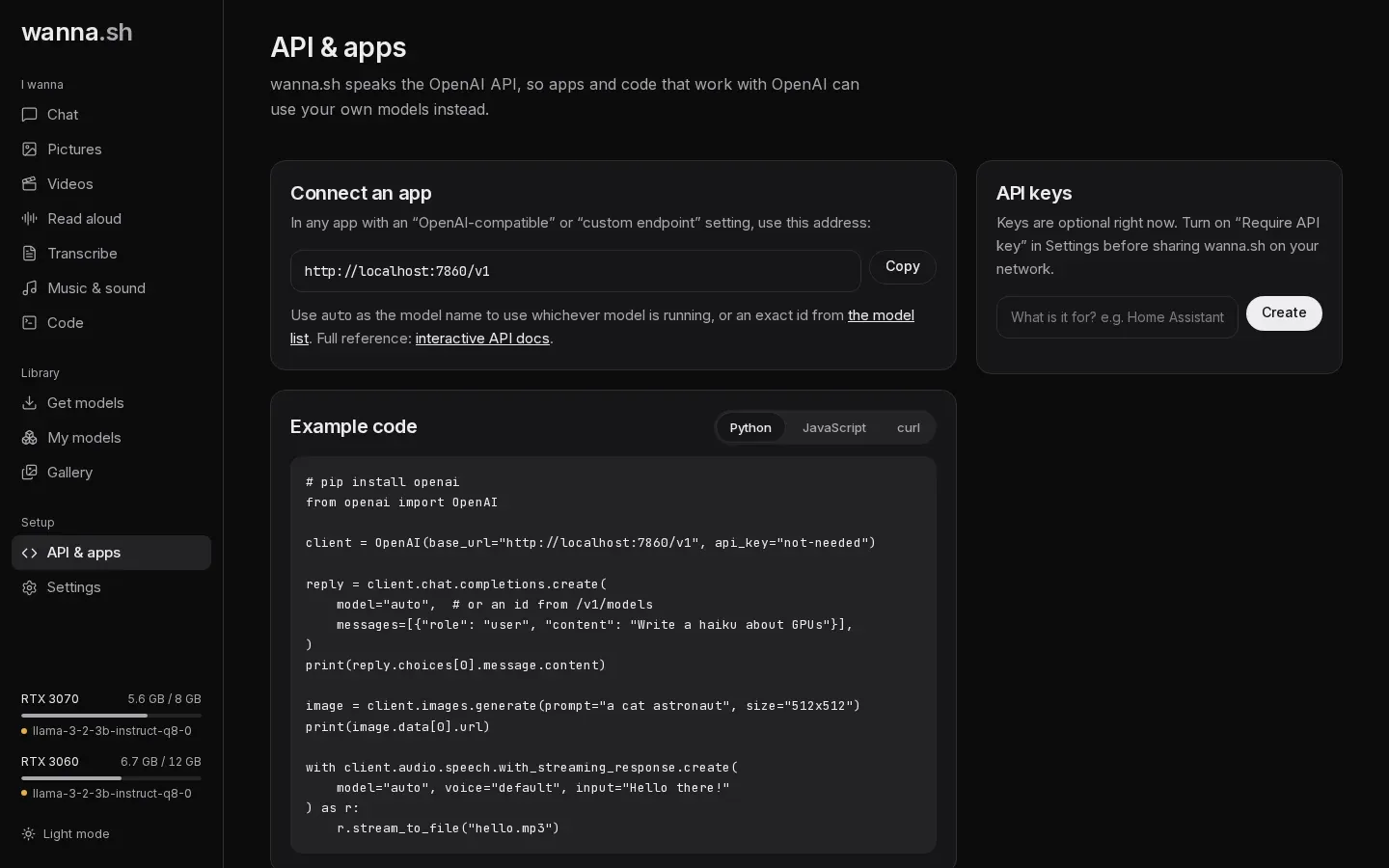
wanna.sh speaks the OpenAI API, so most apps, libraries and plugins that work with OpenAI can use your local models instead. The API & apps page in wanna.sh has the address to use, and example code you can copy.
The address
Section titled “The address”In any app with an OpenAI-compatible, custom endpoint or base URL setting, use:
http://localhost:7860/v1- API key: any text works, unless you’ve turned on Require API key. Some apps insist on a
key; type
not-needed. - Model: use
autofor whichever model of the right kind is running (or, if none is, the one you installed most recently), or a model id fromhttp://localhost:7860/v1/models.
Python
Section titled “Python”# pip install openaifrom openai import OpenAI
client = OpenAI(base_url="http://localhost:7860/v1", api_key="not-needed")
reply = client.chat.completions.create( model="auto", messages=[{"role": "user", "content": "Write a haiku about GPUs"}],)print(reply.choices[0].message.content)
image = client.images.generate(prompt="a cat astronaut", size="512x512")print(image.data[0].url)
with client.audio.speech.with_streaming_response.create( model="auto", voice="default", input="Hello there!") as r: r.stream_to_file("hello.mp3")JavaScript
Section titled “JavaScript”// npm install openaiimport OpenAI from "openai";
const client = new OpenAI({ baseURL: "http://localhost:7860/v1", apiKey: "not-needed" });
const reply = await client.chat.completions.create({ model: "auto", messages: [{ role: "user", content: "Write a haiku about GPUs" }],});console.log(reply.choices[0].message.content);curl http://localhost:7860/v1/chat/completions \ -H "Content-Type: application/json" \ -d '{"model": "auto", "messages": [{"role": "user", "content": "Hello!"}]}'What’s supported
Section titled “What’s supported”Chat (including streaming, tool calls with GGUF models, and pictures for models that can see), text completions, image generation and editing, text to speech, transcription and translation, and video. See the API reference for details and the differences from OpenAI.
Web apps in the browser
Section titled “Web apps in the browser”The address above works for apps, scripts, plugins and servers. A web page that calls wanna.sh directly from your
browser is different: wanna.sh refuses requests from other websites by default, so a page you happen to visit can’t use
your models. To allow a web app you trust, start wanna.sh with its origin in WANNA_CORS:
WANNA_CORS=http://localhost:3000 wannaWeb apps that call wanna.sh from their own server (such as Open WebUI) don’t need this. See Security.
From another device
Section titled “From another device”To use wanna.sh from another computer or phone on your network, see Share wanna.sh on your network.