Your first chat
This walks you through downloading your first model and chatting with it.
1. Start wanna.sh
Section titled “1. Start wanna.sh”- Windows app: open wanna.sh from the Start menu. It opens in its own window.
- Linux and macOS: in a terminal, run
wanna, leave the terminal open while you use it, and open http://localhost:7860 in your browser.
2. Pick a model
Section titled “2. Pick a model”Open Get models in the sidebar and choose Chat. Every model shows how well it runs on your computer:
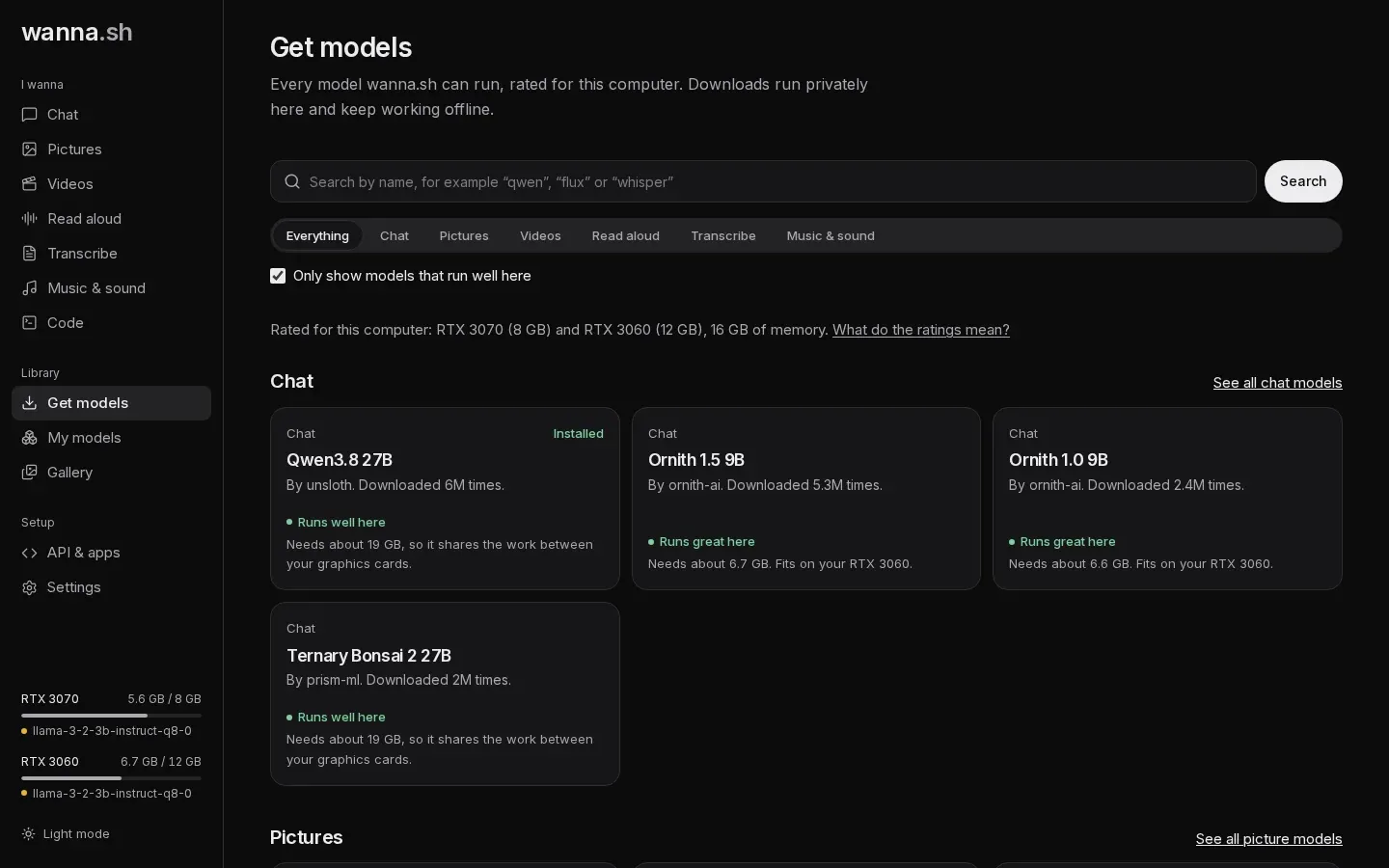
- Runs great here: fits on one of your graphics cards. Fast.
- Runs well here: fits when shared across your graphics cards.
- Runs, but slowly: part of it runs on the processor.
- Too big for this computer.
Choose one marked Runs great here. Small, capable models like Llama 3.2 3B or a Qwen model of 8B or smaller are good first choices. Open it and press Download. You can follow the progress at the bottom of the sidebar.
3. Chat
Section titled “3. Chat”Open Chat, pick your model from the Model menu under the message box, type a message and press Enter.
The first message takes a little longer:
- The first time you ever chat, wanna.sh downloads its chat engine (llama.cpp) for your system.
- The model then starts and loads onto your graphics card. You’ll see Starting the model….
After that, replies stream in straight away. Under each reply you can see how many tokens it used and how fast it was.