Chat with an assistant
Chat is where you talk to a language model: ask questions, draft and rewrite text, summarise documents or get help with code.
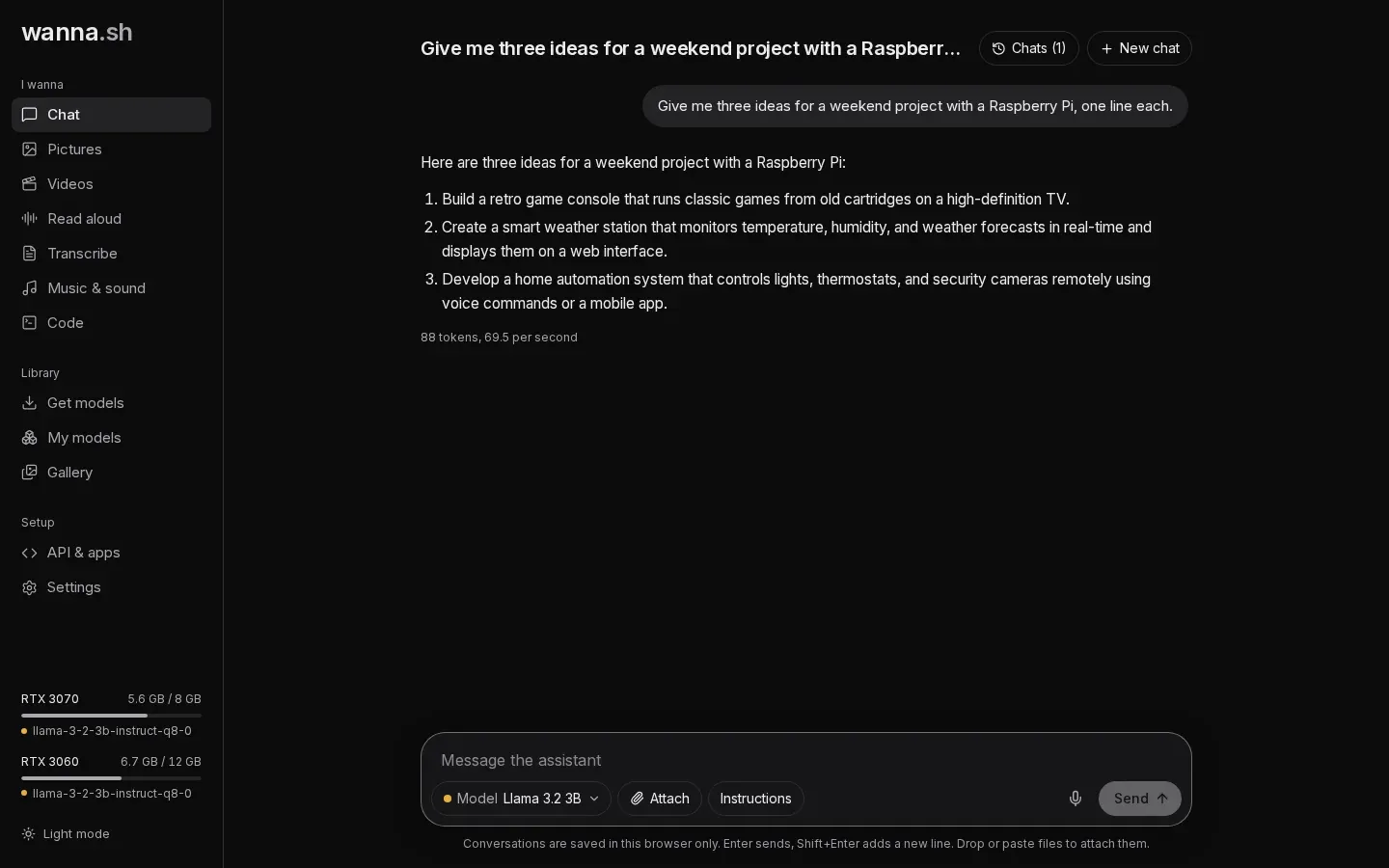
Send a message
Section titled “Send a message”Type in the box at the bottom and press Enter. Shift+Enter adds a new line. Replies stream in as they’re written; press Stop to cut one short.
Choose the model with the Model menu under the message box. If you haven’t installed a chat model yet, get one from Get models first.
Attach pictures and documents
Section titled “Attach pictures and documents”Press Attach, or drop or paste files into the message box.
- Pictures work with models that can see, such as Gemma 3 and Gemma 4 or Qwen-VL models. Ask “What’s in this picture?” or “Turn this whiteboard into notes”. If the model can’t read pictures, wanna.sh tells you before you send.
- Documents: PDFs and text files (Markdown, CSV, JSON, HTML, code files and more). wanna.sh extracts the text and adds it to your message. If a document is too long for the model to hold in mind, wanna.sh searches it for each question instead, once document search is set up. Without document search, only the first part is sent, and the attachment says first part.
Speak instead of typing
Section titled “Speak instead of typing”Press the microphone button, speak, and press it again to stop. Your words are turned into text in the message box, so you can check them before sending. This uses your transcription model, so install one first (Whisper models work well). Your browser will ask for permission to use the microphone.
Ask about your own documents
Section titled “Ask about your own documents”Press Knowledge to pick libraries of your documents. Answers then use the passages that match each question and cite them, with the sources listed underneath. See Ask about your documents.
Give the assistant instructions
Section titled “Give the assistant instructions”Press Instructions to set guidance the assistant follows for the whole conversation, for example “You are a patient tutor. Keep answers short.” The button shows Instructions (on) while some are set.
Manage your chats
Section titled “Manage your chats”Press Chats at the top to see your conversations. You can search them, open an old one to carry on, and:
- Archive a chat to tidy it away without deleting it, or Archive all. Find them again under Archived.
- Delete a single chat, Delete archived, or Delete all chats.
Press New chat to start fresh.
Longer conversations
Section titled “Longer conversations”How much of a conversation a model can keep in mind is its memory (also called context). The default is Standard (8K), about 6,000 words. For long documents, choose a larger size in Settings → Chat memory, or per model under My models → Options. See Graphics cards and memory.